


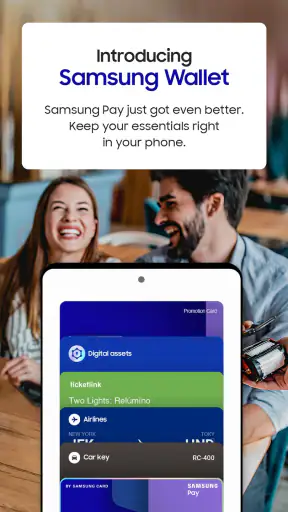
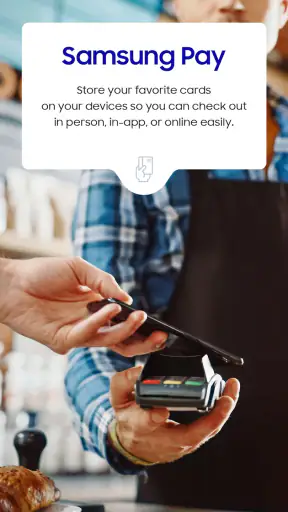


I use my phone for far more than calls and messages, so an app that gathers important everyday items in one place can be genuinely useful. Samsung Wallet, also known as Samsung Pay, is Samsung Electronics Co., Ltd.’s lifestyle app for keeping essentials on a compatible phone. My experience with it is less about flashy extras and more about convenience: when it is set up properly, it can reduce the need to search through separate apps, cards, and passes.
That convenience also deserves a careful look. A wallet app sits close to financial information, identity details, tickets, and other personal items. I would not choose one just because it is popular or because it comes preinstalled. I want to know what I can control, what requires an account, when the phone asks for confirmation, and whether the app fits the way I already manage payments. Samsung Wallet is free, rated for Everyone, and has reached over 100 million installs, with an average rating of 4.1 from around 1.1 million ratings. Those figures suggest broad adoption, but they do not remove the need to check the setup screens and privacy choices for yourself.
What Samsung Wallet feels like in everyday use
The main idea is straightforward: keep selected essentials in the phone instead of carrying every physical item or opening several unrelated services. In practice, the value depends heavily on your Samsung phone, your region, and which wallet items are supported where you live. That is an important distinction. The app can be a practical hub, but it is not automatically a universal replacement for every card, pass, or identity document.
I find this kind of app most useful when I am moving quickly. Imagine leaving home for a short errand with a phone in hand and a physical wallet in a drawer. If the relevant payment method or pass has already been added and the device supports the required function, having it in one familiar place is less distracting than switching between banking apps, email, screenshots, and a browser. The benefit is not that the app makes a purchase magically easier; it is that it reduces the number of places I need to remember.
The best experience comes after a deliberate setup rather than an impulsive download. I would first install the current version, which is 2.5.76, then check whether the phone meets the minimum requirement of Android 7.0. I would also confirm that the Samsung account and any payment-related verification steps are ready before depending on the app outside the home. A wallet is the wrong tool to test for the first time while standing in a queue.
Samsung Wallet is not a general-purpose notes app or a simple folder for screenshots. Its usefulness comes from presenting supported essentials in a more organized, action-oriented way. That is also why a person who only wants to store a loyalty barcode or a travel image may find it more elaborate than necessary. For those small tasks, a gallery, a password manager, or the relevant service’s own app may be quicker.
Trust starts with the setup screen
My approach to a wallet app is cautious: I read each permission and account prompt instead of tapping through everything. Samsung Wallet is developed by Samsung Electronics Co., Ltd., a familiar name for Galaxy users, but familiarity should not be treated as a substitute for checking controls. The important question is not simply whether I recognize the developer. It is whether the app gives me understandable choices before I add sensitive information.
When an app handles payment cards or personal passes, I prefer to add only what I expect to use. That keeps the wallet easier to review and limits the consequences if I later decide to remove it. I would not add every available item just because the app makes importing or organizing them convenient. A smaller wallet is easier to audit, especially when I am trying to remember which cards are active and which ones should be deleted.
I also recommend paying attention to account prompts. A user may need Samsung account access or additional verification depending on the feature and local support. Rather than assuming every function works independently, I would treat each request as a decision point: do I understand why this information is needed, do I want this item connected to the account, and can I remove it later? That habit is more valuable than any single convenience feature.
The safest way to use a digital wallet is to make every addition intentional. I would add one item, test the flow in a low-pressure situation, and then decide whether the rest of my essentials belong there. This approach also makes troubleshooting easier because I know which recent change might have caused a problem.
Controls matter more than a crowded wallet
One strength of a dedicated wallet is that it gives me a clear place to review what I have chosen to keep on the device. I can use that visibility to remove old cards, expired passes, or information I no longer need. I would make this a regular maintenance task, particularly after replacing a card, changing an account, or moving to a different phone.
The practical trade-off is that a wallet can create a false sense of completeness. Seeing an item in the app does not necessarily mean it will work everywhere. Compatibility can depend on the phone, the merchant, the issuer, the type of item, network conditions, and local availability. I would always keep a backup payment method for travel, large purchases, or places where I have not used mobile payment before.
Another useful habit is to separate convenience from necessity. If I am carrying a physical card anyway, adding it to Samsung Wallet gives me flexibility but does not eliminate the card’s role. If I am relying entirely on the phone, I need to think about battery life, device access, and what happens if the phone is unavailable. The app may simplify a routine, but it cannot remove the practical risks of depending on one device.
Compared with a bank’s own app, Samsung Wallet can feel more convenient for bringing supported essentials together. A banking app is usually better for account history, transfers, card management, and detailed financial controls. Compared with a generic password manager, Samsung Wallet is more focused on wallet-style items rather than broad credential storage. Compared with keeping screenshots in the gallery, it offers a more purposeful place for supported items, but screenshots remain a useful fallback for information that the wallet does not handle.
Where data sensitivity becomes real
The most sensitive moments are not limited to the first installation. They happen when I add a payment card, connect an account, approve a verification request, replace a device, or remove an item. These are the points where I slow down and read what the screen is asking me to confirm. I avoid entering information into a rushed setup flow if I do not understand what will be stored or linked.
I also avoid treating notifications as harmless background noise. A wallet may need to show timely information for an item to be useful, but notifications can expose details on a lock screen or shared screen. I would review the phone’s notification settings and choose a display style that fits my privacy needs. Someone who frequently leaves a phone on a desk may want less detail visible before unlocking it.
The same caution applies to lock-screen access and device security. I would not use a wallet as my primary payment method on a phone with a weak screen lock or with the lock screen routinely bypassed. The app’s convenience only makes sense when the device itself is protected. A strong passcode, sensible biometric settings, and the ability to find or secure a misplaced phone are part of the overall decision, even though they are not substitutes for understanding the app’s own choices.
I am also careful when changing phones. Before wiping an old device, I would review the wallet, remove items that should no longer remain there, and make sure I know how to restore or re-add what I still need. I would not assume that moving a SIM card or signing into the same account automatically recreates every wallet item. Preparing before a trip or phone upgrade is much less stressful than discovering a missing pass at a checkout counter.
How much control does the user really have?
For me, good user agency means being able to choose what enters the wallet, understand what each item is for, and remove it without confusion. Samsung Wallet works best when I treat it as a collection I manage, not as a storage box that should contain everything. I would periodically open it and ask whether each item is still useful, whether it belongs to me, and whether I would notice if it disappeared.
I would also check the app’s settings after an update rather than assuming my preferences have stayed exactly as they were. The current version may change the layout or wording of controls, and a familiar button can move. This is not a reason to avoid updates; it is a reason to spend a minute looking through account, notification, security, and item-management screens after a significant change.
There is a difference between declining an optional convenience and breaking the whole app. If a prompt is not relevant to my use, I prefer to postpone it and see whether the core function still works. If the app cannot proceed without a particular account or verification step, I decide whether that requirement is acceptable before adding sensitive items. That is a clearer choice than agreeing first and investigating later.
Parents and people setting up a phone for someone else should be especially deliberate. The Everyone content rating describes the app’s general audience, but it does not mean every wallet setup is equally appropriate for every household. I would help the user understand which cards or passes are being added, who can access the phone, and what to do if the device is lost. Shared devices deserve extra caution because a wallet is personal by nature.
Who will benefit, and who should skip it?
I think Samsung Wallet is a strong fit for people who already use a compatible Samsung phone and want a central place for supported payment and everyday wallet items. It makes the most sense if you regularly move between several cards or passes and dislike opening separate services. The app is also appealing to users who prefer a Samsung-centered experience rather than assembling a wallet from several independent apps.
I would be more hesitant if you use a non-Samsung phone, rarely use digital passes, or already have a payment method that covers everything you need with less setup. In that situation, installing another wallet may add account prompts and maintenance without solving a real problem. Someone who values maximum cross-platform flexibility may prefer a service designed around the devices and banks they already use, even if it feels less integrated with Samsung hardware.
Frequent travelers should treat it as a useful option rather than their only option. Before leaving, I would check that the cards and passes I need are present, confirm that I remember the relevant account details, and carry a backup. I would also avoid relying on an untested wallet workflow at an airport, hotel, or unfamiliar merchant. A few minutes of preparation can reveal compatibility issues while there is still time to use another method.
People who are very privacy-conscious are not automatically excluded, but they should be willing to inspect every prompt and keep the wallet minimal. If you do not want a Samsung account involved, or if you are uncomfortable with the app’s required setup for the functions you want, a simpler alternative may be a better personal choice. The right wallet is the one whose controls you understand and accept, not necessarily the one with the most features.
My cautious verdict after using it
Samsung Wallet succeeds when I use it as a focused convenience layer: a place for selected essentials that I have intentionally added and can review. Its broad reach, free price, Everyone rating, and long availability since October 17, 2015 make it easy to consider, while the large user base shows that it has become a familiar part of many Samsung phone setups. I still would not confuse popularity with a guarantee that every card, pass, or payment situation will work for me.
My recommendation is therefore practical rather than absolute. Install it if you own a compatible Samsung phone and you genuinely want supported wallet items together. Start small, read account and permission prompts, review notifications, test the setup before depending on it, and keep a backup for important situations. Those steps preserve the convenience without handing over more information or responsibility than you intend.
If your current banking app or another wallet already handles your daily needs, Samsung Wallet may not improve your routine enough to justify changing it. But if you often juggle cards, passes, and separate apps, it can make the phone feel more organized. I recommend it as a carefully managed wallet, not as a reason to stop thinking about security, compatibility, or personal control.


